
Category: Cloud Infrastructure | Security | DevOps
Tags: Azure, Terraform, WSL, VPN, Microsoft Sentinel, SentinelOne, Unifi, SIEM, DevSecOps
Reading Time: ~12 minutes
TL;DR: Using nothing more than a Windows machine running WSL2, VSCode, and Terraform — we provisioned an entire Azure cloud environment, stood up a VPN gateway, and built a fully operational SIEM pipeline ingesting logs from both Unifi network hardware and SentinelOne EDR. Here’s exactly how we did it.
The Challenge
Modern security operations don’t live in one place. Your network logs are in your router. Your endpoint telemetry is in your EDR. Your cloud infrastructure is in Azure. Stitching all of this together into a single, queryable, alertable SIEM — while keeping the entire workflow reproducible and code-driven — is what separates a reactive IT team from a proactive security operation.
This post walks through exactly how we tackled that for a client environment: end-to-end, from a Windows laptop running WSL2 to a production-ready Azure SIEM pipeline.
The Stack
| Layer | Technology |
|---|---|
| Local Dev Environment | Windows 11 + WSL2 (Ubuntu 22.04) + VSCode |
| IaC Tooling | Terraform (Azure Provider ~> 3.90) |
| Cloud Platform | Microsoft Azure |
| Connectivity | Azure VPN Gateway — IPsec Site-to-Site |
| SIEM | Microsoft Sentinel (Log Analytics Workspace) |
| Log Sources | Unifi UDM-Pro + SentinelOne EDR |
Part 1 — The Dev Environment: WSL2 + VSCode
Everything starts local. Rather than spinning up a dedicated Linux jumpbox, we used WSL2 directly on the Windows workstation — full Linux tooling, one machine, one screen.
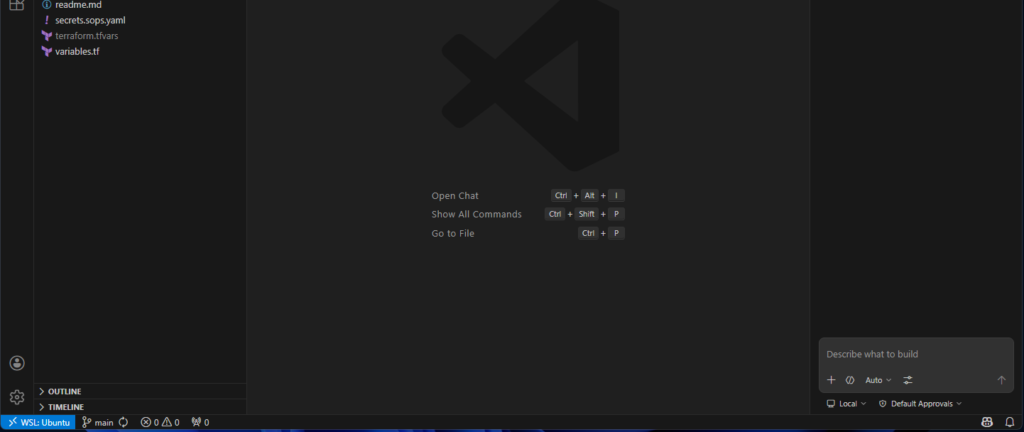
The Terraform project lives inside the WSL2 filesystem and opens in VSCode via the Remote-WSL extension. The green WSL: Ubuntu-22.04 indicator in the status bar confirms you’re operating natively in the Linux context.
WSL2 Setup
# PowerShell (Administrator)
wsl --install -d Ubuntu-22.04
wsl --set-default-version 2
wsl -l -v   # confirm VERSION 2
Tune WSL memory limits so it doesn’t consume the host during a large terraform apply:
# C:\Users\YourName\.wslconfig[wsl2]
memory=6GB processors=4 swap=2GB localhostForwarding=true
Terraform Install (WSL)
wget -O- https://apt.releases.hashicorp.com/gpg | \
  gpg --dearmor | \
  sudo tee /usr/share/keyrings/hashicorp-archive-keyring.gpg > /dev/null

echo "deb [signed-by=/usr/share/keyrings/hashicorp-archive-keyring.gpg] \
  https://apt.releases.hashicorp.com $(lsb_release -cs) main" | \
  sudo tee /etc/apt/sources.list.d/hashicorp.list

sudo apt update && sudo apt install terraform -y
terraform version
Azure CLI Auth
curl -sL https://aka.ms/InstallAzureCLIDeb | sudo bash
az login
az account set --subscription "<your-subscription-id>"
Part 2 — Terraform: Deploying the Azure Foundation
A single terraform apply provisions the complete environment — VNet, subnets, NSG, NIC, forwarder VM, Log Analytics Workspace, Sentinel onboarding, and Data Collection Rule.
Project Structure
sentinel-syslog/
├── cloud-init.yaml      ← VM bootstrap (rsyslog + OMS agent)
├── main.tf
├── outputs.tf
├── variables.tf
└── terraform.tfvars     ← gitignored
providers.tf
terraform {
  required_providers {
    azurerm = {
      source  = "hashicorp/azurerm"
      version = "~> 3.90"
    }
  }
  required_version = ">= 1.7.0"
}

provider "azurerm" {
  features {}
  subscription_id = var.subscription_id
  tenant_id       = var.tenant_id
}
Core Resources
resource "azurerm_resource_group" "main" {
  name     = "rg-sentinel-syslog"
  location = var.location
  tags = {
    Environment = "production"
    ManagedBy   = "Terraform"
  }
}

resource "azurerm_virtual_network" "main" {
  name                = "vnet-sentinel"
  resource_group_name = azurerm_resource_group.main.name
  location            = azurerm_resource_group.main.location
  address_space       = ["10.10.0.0/16"]
}

# GatewaySubnet — exact name enforced by Azure, minimum /27
resource "azurerm_subnet" "gateway" {
  name                 = "GatewaySubnet"
  resource_group_name  = azurerm_resource_group.main.name
  virtual_network_name = azurerm_virtual_network.main.name
  address_prefixes     = ["10.10.255.0/27"]
}

resource "azurerm_subnet" "workloads" {
  name                 = "snet-syslog"
  resource_group_name  = azurerm_resource_group.main.name
  virtual_network_name = azurerm_virtual_network.main.name
  address_prefixes     = ["10.10.1.0/24"]
}

resource "azurerm_network_security_group" "syslog" {
  name                = "nsg-syslog"
  resource_group_name = azurerm_resource_group.main.name
  location            = azurerm_resource_group.main.location

  security_rule {
    name                       = "allow-syslog-inbound"
    priority                   = 300
    direction                  = "Inbound"
    access                     = "Allow"
    protocol                   = "Udp"
    source_port_range          = "*"
    destination_port_range     = "514"
    source_address_prefix      = var.onprem_cidr
    destination_address_prefix = "*"
  }
}
Log Analytics + Sentinel
resource "azurerm_log_analytics_workspace" "sentinel" {
  name                = "law-sentinel"
  resource_group_name = azurerm_resource_group.main.name
  location            = azurerm_resource_group.main.location
  sku                 = "PerGB2018"
  retention_in_days   = 90
}

resource "azurerm_sentinel_log_analytics_workspace_onboarding" "main" {
  workspace_id = azurerm_log_analytics_workspace.sentinel.id
}
Deploy
terraform init
terraform plan -out=tfplan
terraform apply tfplan
After apply, the resource group contains everything needed — VNet, NSG, NIC, VM, Log Analytics workspace, the SecurityInsights Sentinel solution, and a Data Collection Rule, all tagged ManagedBy: Terraform.
📸 Screenshot suggestion: Azure Portal → your Resource Group → Overview tab. Shows the list of resource names and types. Safe to publish — no keys, IPs, or subscription details visible at this level.
Part 3 — VPN Gateway
The VPN connects the on-premises Unifi network to the Azure VNet over an encrypted IPsec tunnel. All log traffic flows privately through this tunnel — no public internet exposure for syslog or CEF data.
Terraform VPN Resources
resource "azurerm_public_ip" "vpn_gw" {
  name                = "vpngw-pip"
  resource_group_name = azurerm_resource_group.main.name
  location            = azurerm_resource_group.main.location
  allocation_method   = "Static"
  sku                 = "Standard"
}

resource "azurerm_virtual_network_gateway" "main" {
  name                = "vpngw-sentinel"
  resource_group_name = azurerm_resource_group.main.name
  location            = azurerm_resource_group.main.location
  type                = "Vpn"
  vpn_type            = "RouteBased"
  sku                 = "VpnGw1"

  ip_configuration {
    name                          = "vnetGatewayConfig"
    public_ip_address_id          = azurerm_public_ip.vpn_gw.id
    private_ip_address_allocation = "Dynamic"
    subnet_id                     = azurerm_subnet.gateway.id
  }
}

resource "azurerm_local_network_gateway" "onprem" {
  name                = "lng-onprem"
  resource_group_name = azurerm_resource_group.main.name
  location            = azurerm_resource_group.main.location
  gateway_address     = var.onprem_public_ip
  address_space       = [var.onprem_cidr]
}

resource "azurerm_virtual_network_gateway_connection" "s2s" {
  name                       = "conn-onprem-s2s"
  resource_group_name        = azurerm_resource_group.main.name
  location                   = azurerm_resource_group.main.location
  type                       = "IPsec"
  virtual_network_gateway_id = azurerm_virtual_network_gateway.main.id
  local_network_gateway_id   = azurerm_local_network_gateway.onprem.id
  shared_key                 = var.vpn_shared_key
}
Note: VPN Gateway provisioning takes 25–45 minutes. Terraform will appear to hang on this resource — this is normal.
Unifi IPsec Settings
Configure the Unifi UDM-Pro under Settings → VPN → Site-to-Site VPN:
| Setting | Value |
|---|---|
| VPN Type | IPsec |
| VPN Method | Route Based |
| Remote IP | (Azure VPN Gateway public IP from terraform output) |
| Key Exchange | IKEv1 |
| Encryption | AES-128 |
| Hash | SHA1 |
| DH Group | 14 |
| PFS | Enabled |
Part 4 — Log Forwarder VM
The vm-syslog VM sits at a private IP in the workloads subnet. Because the VPN tunnel is live, SSH access is entirely over the private tunnel — no public IP, no Bastion needed.
cloud-init.yaml (VM Bootstrap)
package_update: true
packages:
  - rsyslog

runcmd:
  - wget https://raw.githubusercontent.com/Microsoft/OMS-Agent-for-Linux/master/installer/scripts/onboard_agent.sh
  - |
    sh onboard_agent.sh \
      -w ${workspace_id} \
      -s ${workspace_key} \
      -d opinsights.azure.com
  - systemctl enable rsyslog && systemctl restart rsyslog
rsyslog Forwarding Config
# /etc/rsyslog.d/50-unifi.conf
module(load="imudp")
input(type="imudp" port="514")

if $fromhost-ip == '<UNIFI_IP>' then {
    action(type="omfwd" target="127.0.0.1" port="25224" protocol="tcp")
    stop
}

# /etc/rsyslog.d/60-sentinelone.conf
:rawmsg, contains, "CEF:" {
    action(type="omfwd" target="127.0.0.1" port="25226" protocol="tcp")
    stop
}
Part 5 — Microsoft Sentinel
With logs flowing from both sources, Microsoft Sentinel provides a unified view for querying, correlation, and alerting.
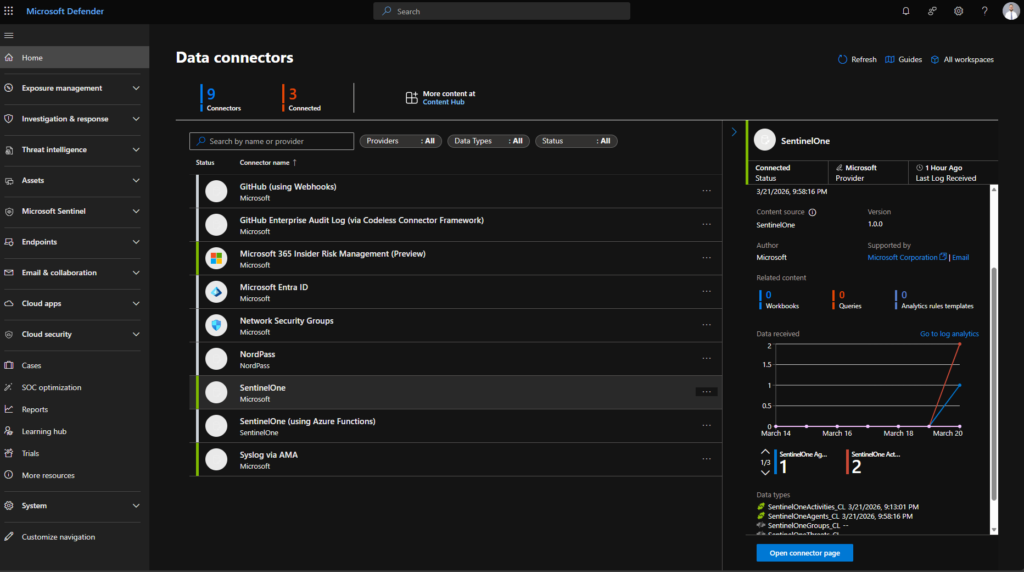
Validating Both Log Sources
// Unifi syslog events
Syslog
| where ProcessName contains "unifi"
| project TimeGenerated, Computer, ProcessName, SyslogMessage
| order by TimeGenerated desc
| take 20

// SentinelOne CEF events
CommonSecurityLog
| where DeviceVendor == "SentinelOne"
| summarize EventCount = count() by Activity, bin(TimeGenerated, 1h)

// Both sources combined
union Syslog, CommonSecurityLog
| summarize Events = count() by Type, bin(TimeGenerated, 1h)
| render timechart
The Result
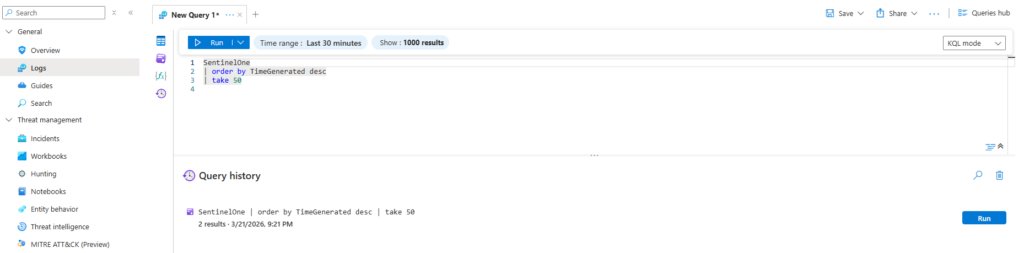
A fully code-driven, VPN-secured, multi-source SIEM — deployed in a single day from a Windows laptop. Every resource is defined in Terraform, tagged, and reproducible. On-premises network telemetry and endpoint detections flow privately over the VPN into Microsoft Sentinel, where a single KQL query correlates both sources simultaneously.
Nothing was clicked into existence. Everything is in code.
Want this built for your environment? Get in touch →